Equal Horizontal Tab
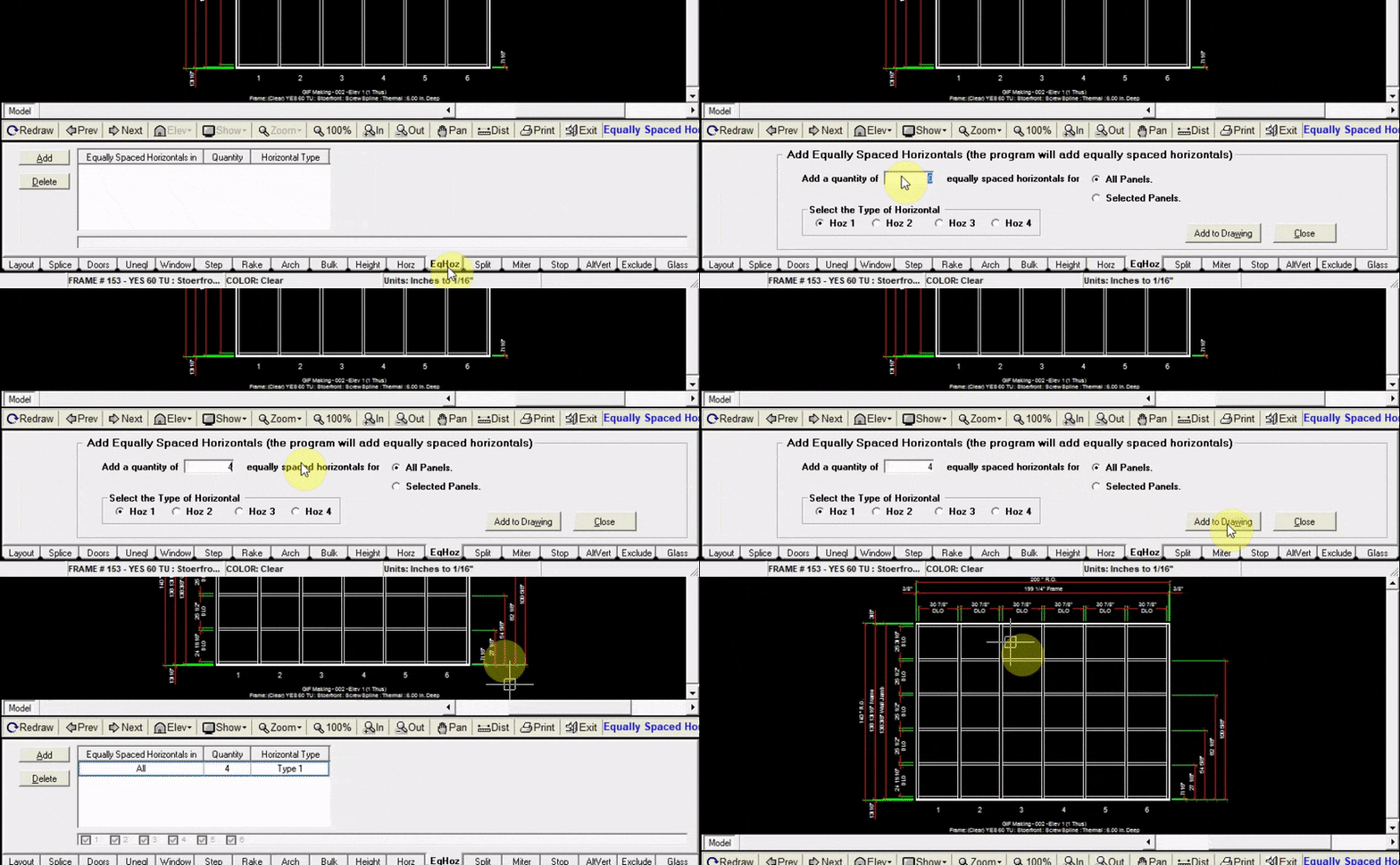
The EqHoz tab allows you to add a number of equally spaced horizontals to your elevation to one or multiple panels.
Adding Equally Spaced Horizontals
- Click
Addat the top left of the EqHoz tab - Input the quantity of horizontals that you will add
- Choose whether to add the horizontals to all panels or certain panels.
- Click
Add to Drawing. Now your drawing will be updated with the new horizontals