Miter Tab
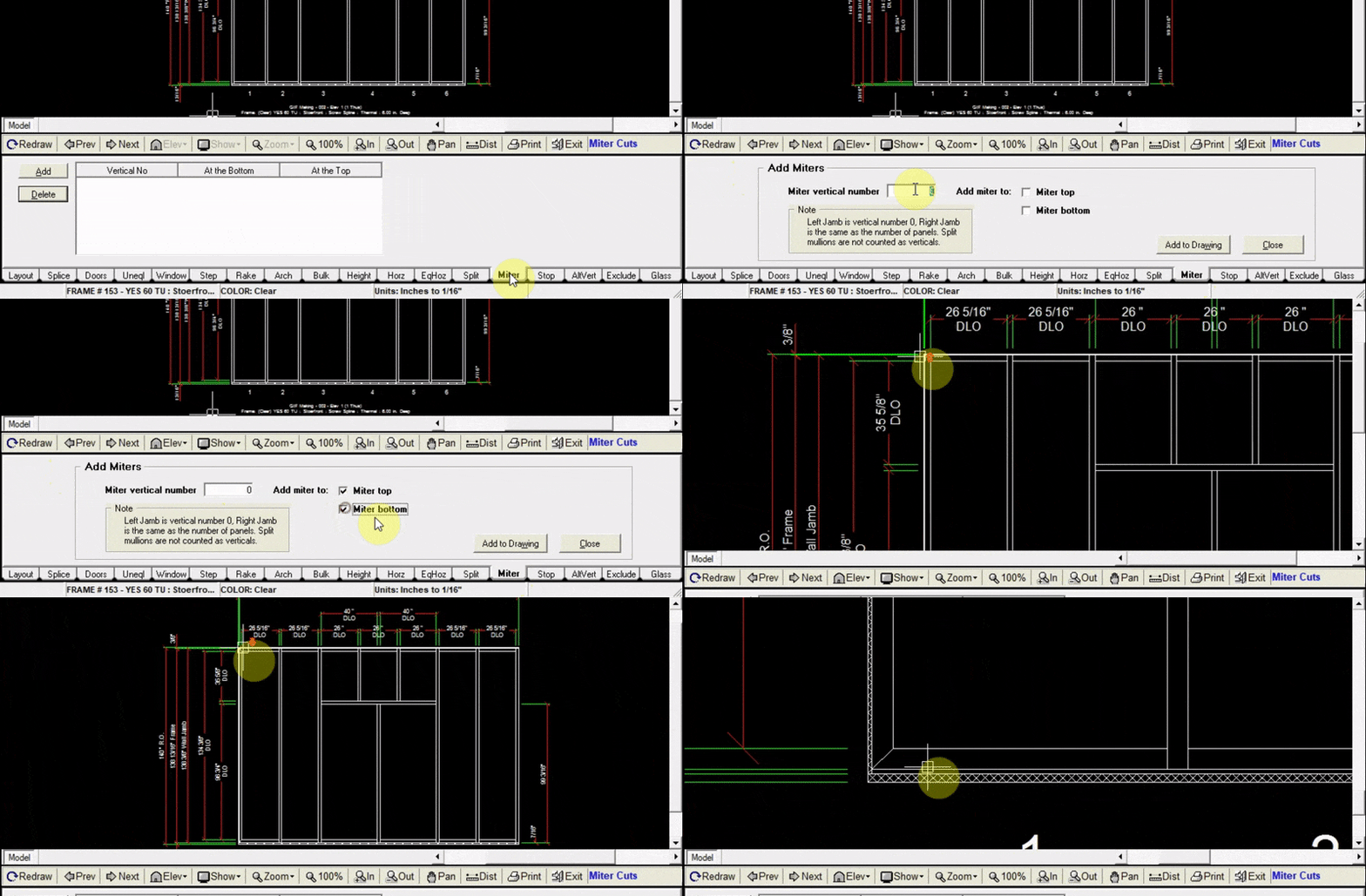
The Miter tab allows you to add mitered corners to where your wall jambs meet your head and sill.
Adding Miters
- Click
Addat the top left of the miter tab - Input the vertical number of your jamb (left jamb is vertical #0). Miter can only be added to one vertical at a time.
- Choose whether to add a miter to the top or bottom of the vertical (or both)
- Click
Add to Drawing. Now your drawing will be updated with your new miters.