Configuring Glass Products
-
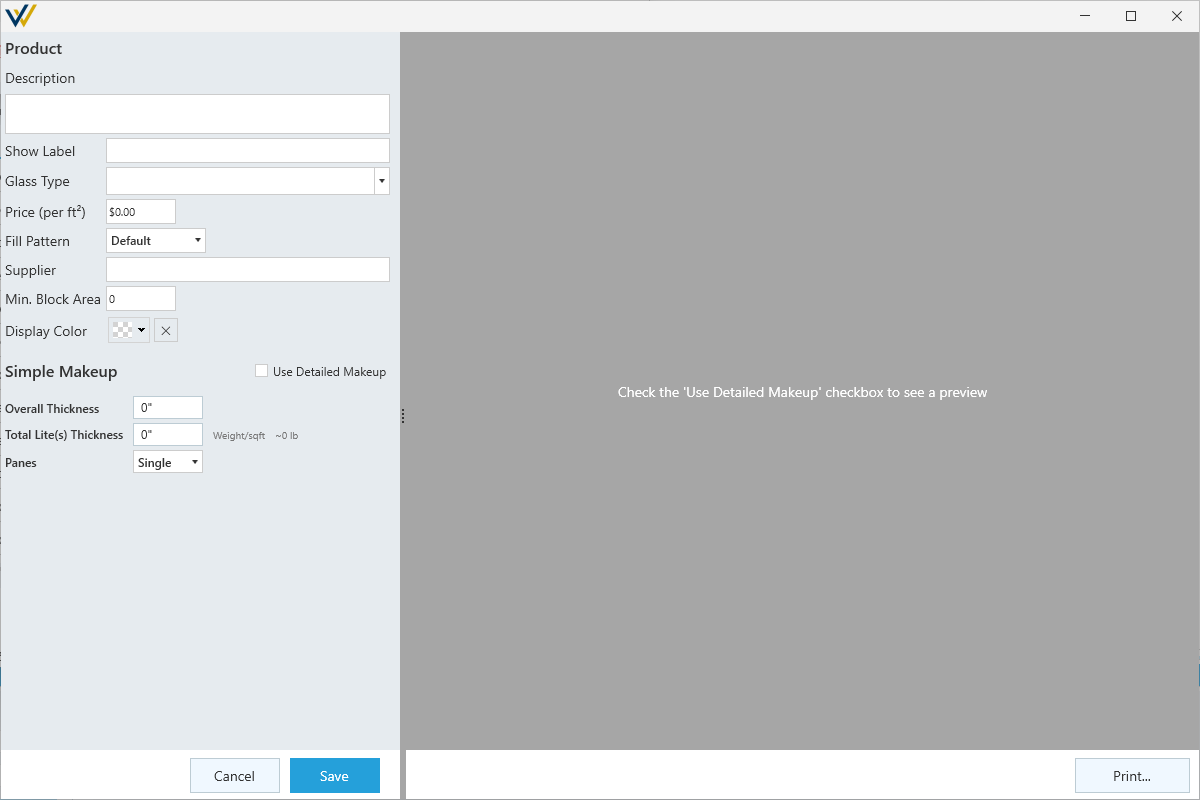
Description- Provide a name / brief description for this product for use in reports your product list. -
Show Label- Set the label text to show on glass when your layer settings haveShow Labelson. -
Glass Type- Options include:AnnealedHeat StrengthenedLaminatedSpandrelTemperedMiscellaneousHeat Tempered
-
Price (per ft²)- Set pricing per square foot. Costs are calculated based on glass area in elevations multiplied by this number. -
Fill Pattern- Optional setting to change the hatch pattern of this glass in elevation. -
Supplier- Option to list a specific supplier. -
Min. Block Area- Option to set minimum block area. Reports will show when minimum glass area is not met. -
Display Color- Optional setting to change the color of this glass in your elevations.
-
☑
Use Detailed Makeup- Toggle simple or detailed make up.-
Simple Makeupallows you to set an overall thickness, a lite thickness and a number of panes. -
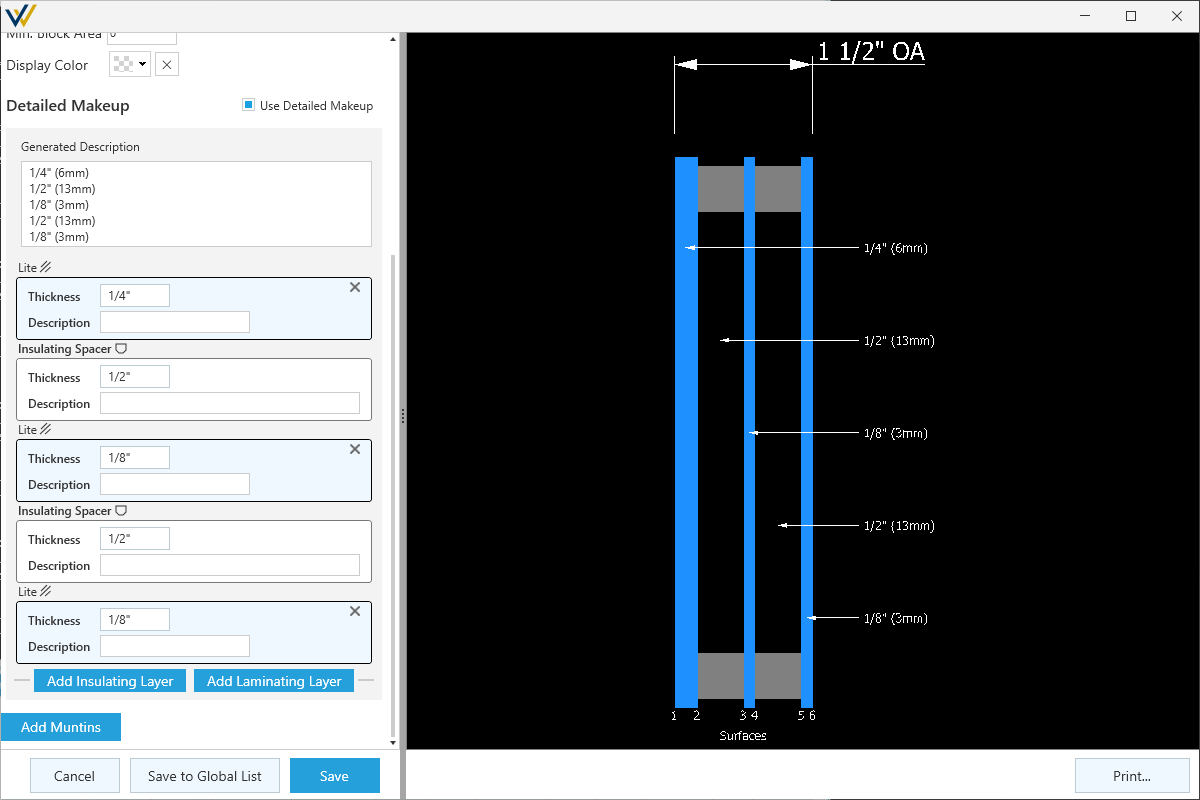
Detailed Makeupgives you more configurability, allowing you to add layers independently, and provides a preview of the glass makeup on the right.
-
Simple Makeup
-
Overall Thickness- The overall thickness of your glass unit. -
Total Lite(s) Thickness- The thickness of each lite of glass.- This number is used along with your number of
Panesand glass area to calculate the weight for labor estimates.
- This number is used along with your number of
-
Panes- Number of glass lites in a unit, between 1 and 4.
Detailed Makeup
-
Generated Description- Automatically generates a description based on the configured layers. -
Add Insulating Layer- Adds a new lite of glass with a spacer / insulating layer between. -
Add Laminating Layer- Adds a new lite of glass with a laminating interlayer between.
Layers
Each layer will create a new tile with options to configure:
-
Thickness- Specify a thickness for this layer. -
Description- Add a description for this layer.
-
Cancel/Save- Confirm the new glass product or cancel. -
Save to Global List- Save this glass product to your organizations' glass product list for use in other jobs. -
Print...- Print the drawing of your detailed makeup preview.