Tips - Face Covers / Pressure Plates
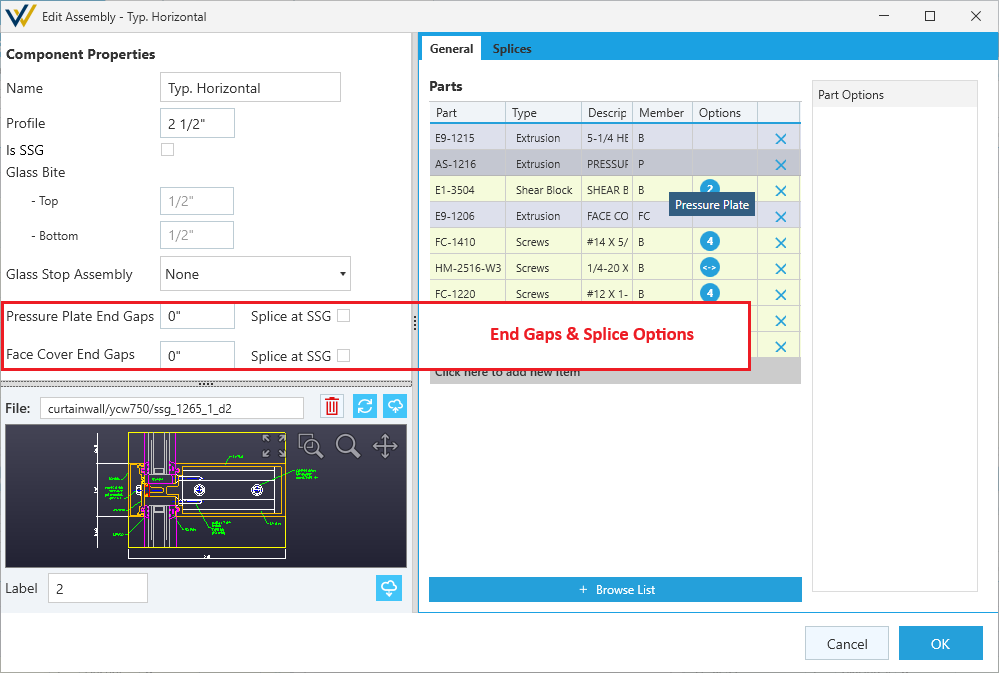
When a framing system has the option for Has Face Covers or Has Pressure Plates checked in the Settings tab, new settings are added to your assemblies' component properties.
These options handle special conditions like end gaps offsets and splicing at SSGs.
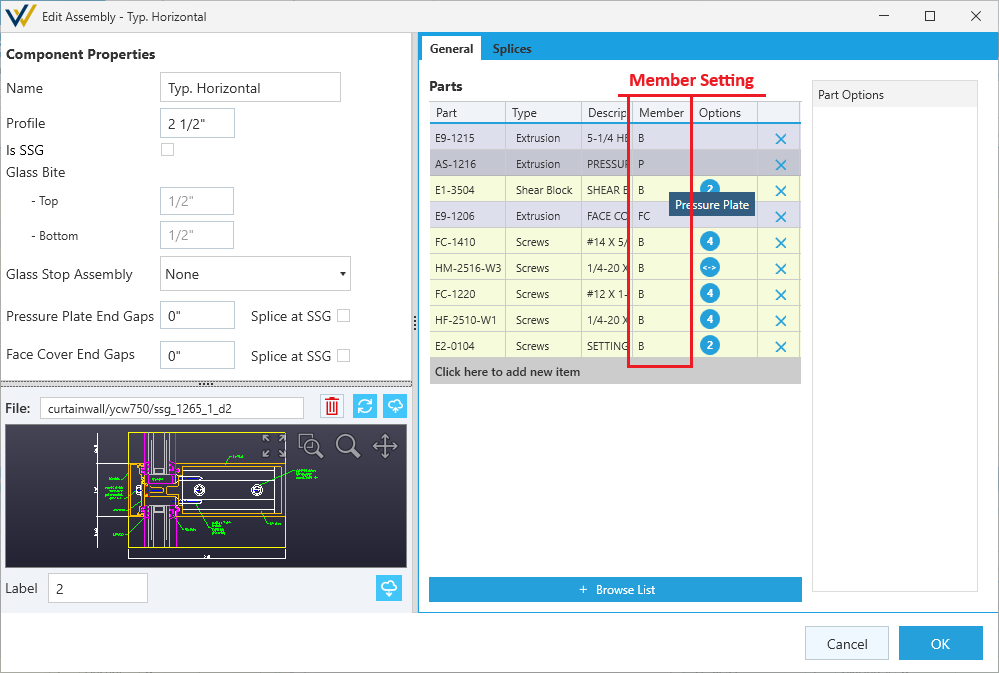
To make sure these settings are applied to the correct parts, you'll need to set these options and specify the Member type for the pressure plate and face cover in the parts list. See below.
Member Type
By default, your parts will be set to B for Backmember. This setting doesn't need to be changed in most cases. Other member types include P for pressure plate and FC for face cover. This is how the settings above know to apply to these parts.
To change the member type, double click this cell for the part for a list of options:
- Backmember (default)
- Pressure Plate
- Face Cover
You can do this when configuring an assembly, or in the Components tab when the assembly parts list is expanded.