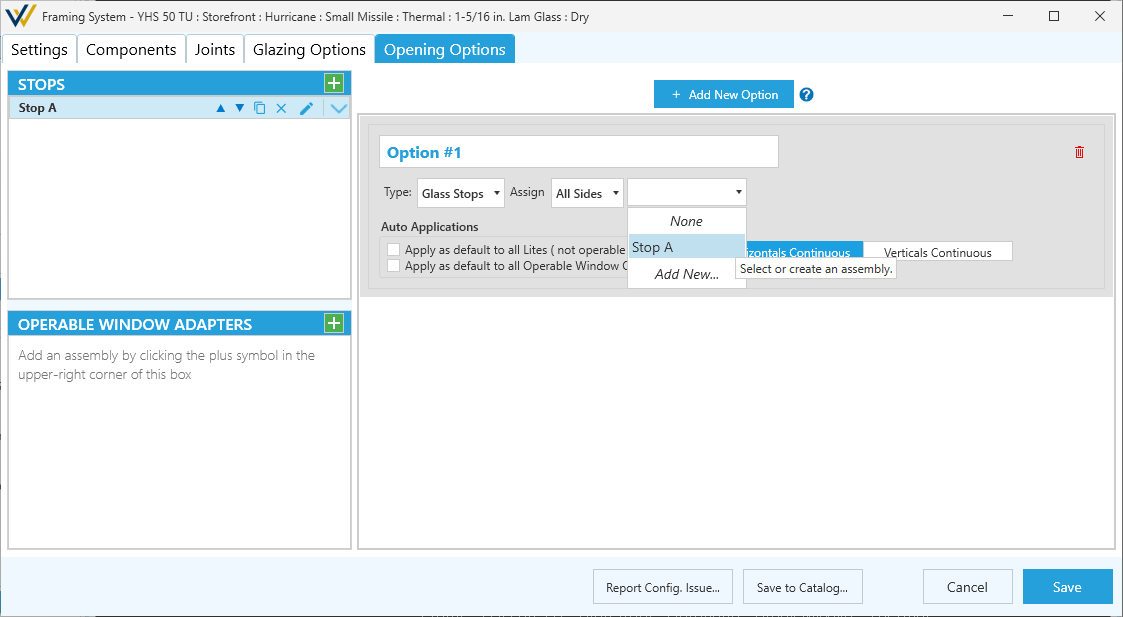
Opening Options Tab
Adapters here refer to operable window adapters. Glass adapters are better handled in the Glazing Options tab.
This article uses the term opening to refer to areas surrounded by frame assemblies, similar to glass lites or panels.
Opening Options are different combinations of Stops / Operable Window Adapters applied to the perimeter of your openings. Once these options are built out, you can apply them using the Stop/Adapter tool tab.
Components
This window has dedicated views on the left for Stops and Operable Window Adapters assemblies. These are the same ones listed in the Components tab, and updating in either spot will update both.
- See Working with Components for more details on how to configure these assembly components.
Adding New Opening Option
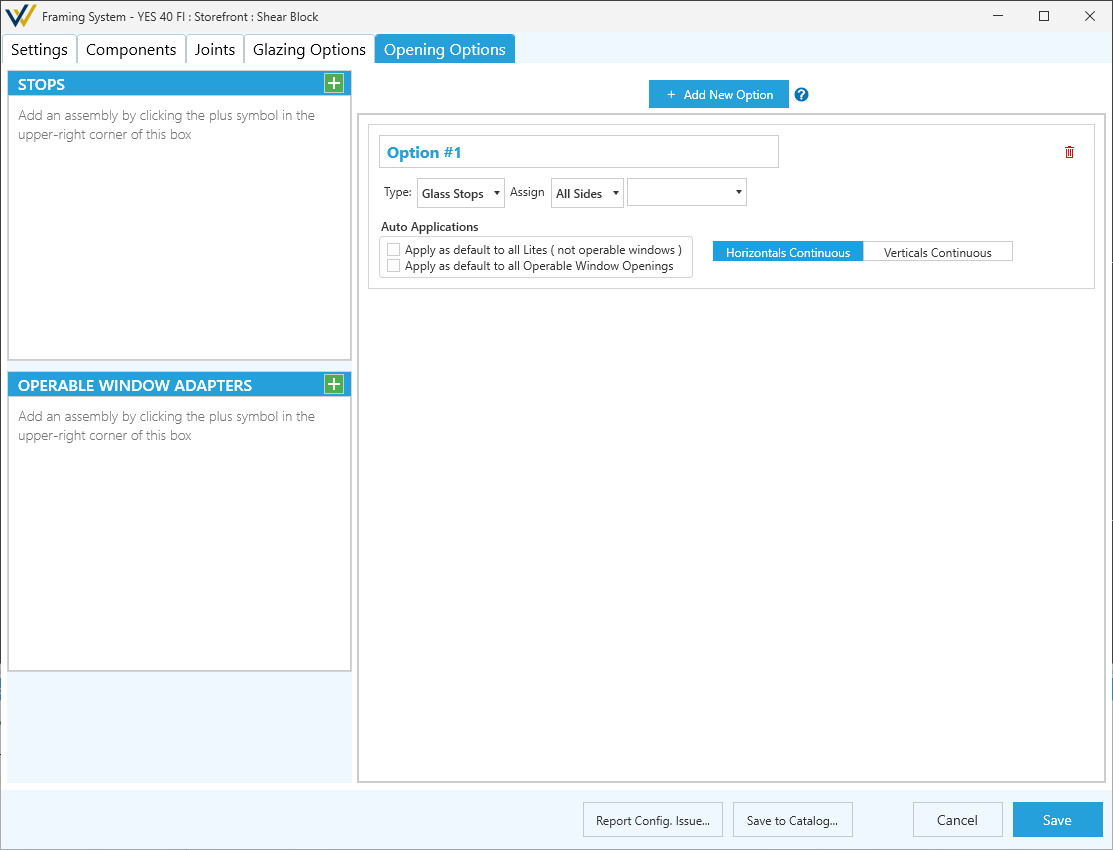
-
Option #- A descriptive name for the option. -
Type:- Determines which component list to use.Glass Stops- Can be applied to any opening (panel).Operable Window Adapters- Can only be applied to operable windows.
-
Assign For- Options to cover complex part assignments, including:All Sides- The same assembly used for all sides.Horizontals and Verticals- The Left and Right share an assembly and the top and bottom share another.Each Side- Each side gets assigned a different assembly.
-
Auto Applications- If checked the option will be applied to all openings using this system.- Apply as default to all Lites ( not operable windows ).
- Apply as default to all Operable Window openings.
-
Horizontals/Verticals Continuous- Choose which sides should run the full length of the opening and which ones will be interrupted. -
+ Add New Option- Click to add alternate options.
Configuring Opening Options
The assembly dropdown is where you select the assembly to apply for this option.
-
Default- Leaves the assembly blank. -
Configured Assemblies - Lists all the configured assemblies available for this option.
-
*Add New...- Opens a window to configure a new assembly of the selected type.