Alternate Tab
Set specific vertical/horizontal elements to an alternate parts assembly defined in the Framing System menu.
This tab lists all applied alternate assemblies in this elevation with buttons to edit or delete them. If alternates haven't been added, the list will show No Elements with Alternate Assemblies instead.
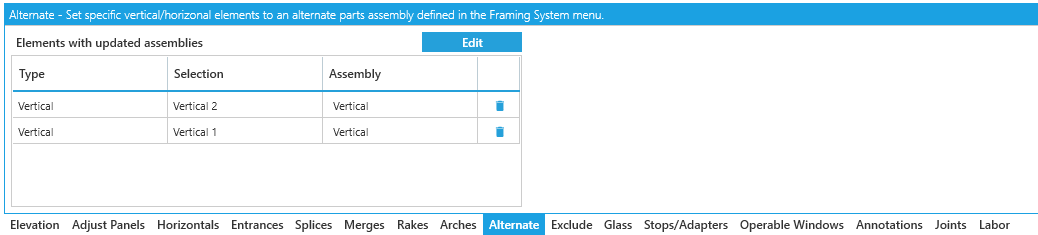
Set Alternate
To set an alternate, click the Edit button.
Your tab will switch to a new view where you can assign alternate assemblies to selected frame segments.
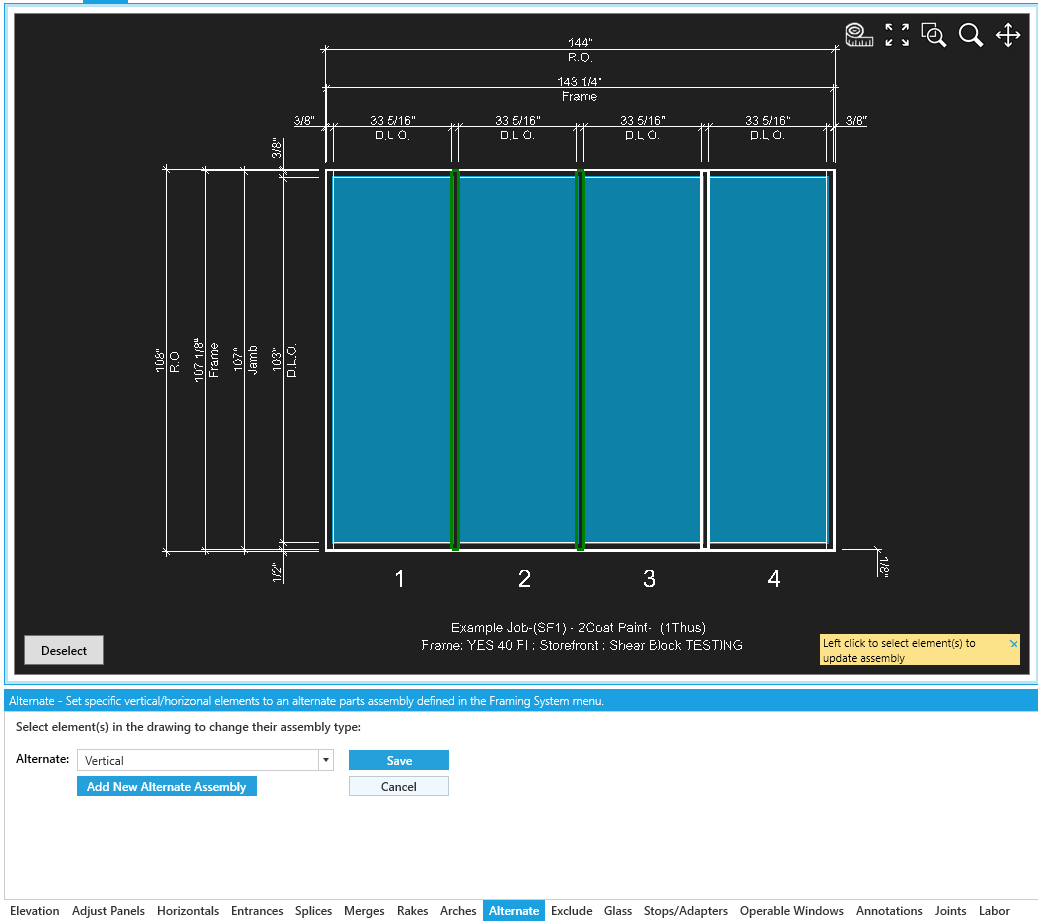
You'll only be able select one type of assembly at a time -- for example, right jambs or horizontals.
Save or Cancel to set alternates for other types.
To set any alternates, the applied framing system needs to have more than one assembly available for that assembly type.
See Framing System Components for more details.
Options
-
Alternate- Choose an alternate assembly from those available in your framing system. -
Add New Alternate Assembly- This will open a window where you can configure a new assembly for the frame type you selected.
Confirm / Return
Click Save to confirm your settings and apply them to the elevation.
Click Cancel to return to the list of alternates applied to the elevation.