Exclude Tab
Disable specific vertical/horizontal elements in the elevation frame.
This tab lists all excluded frame segments in this elevation with a button to delete them. If exclusions haven't been specified, the list will show No Excluded Elements instead.
Applied exclusions will appear in the elevation as dashed lines.
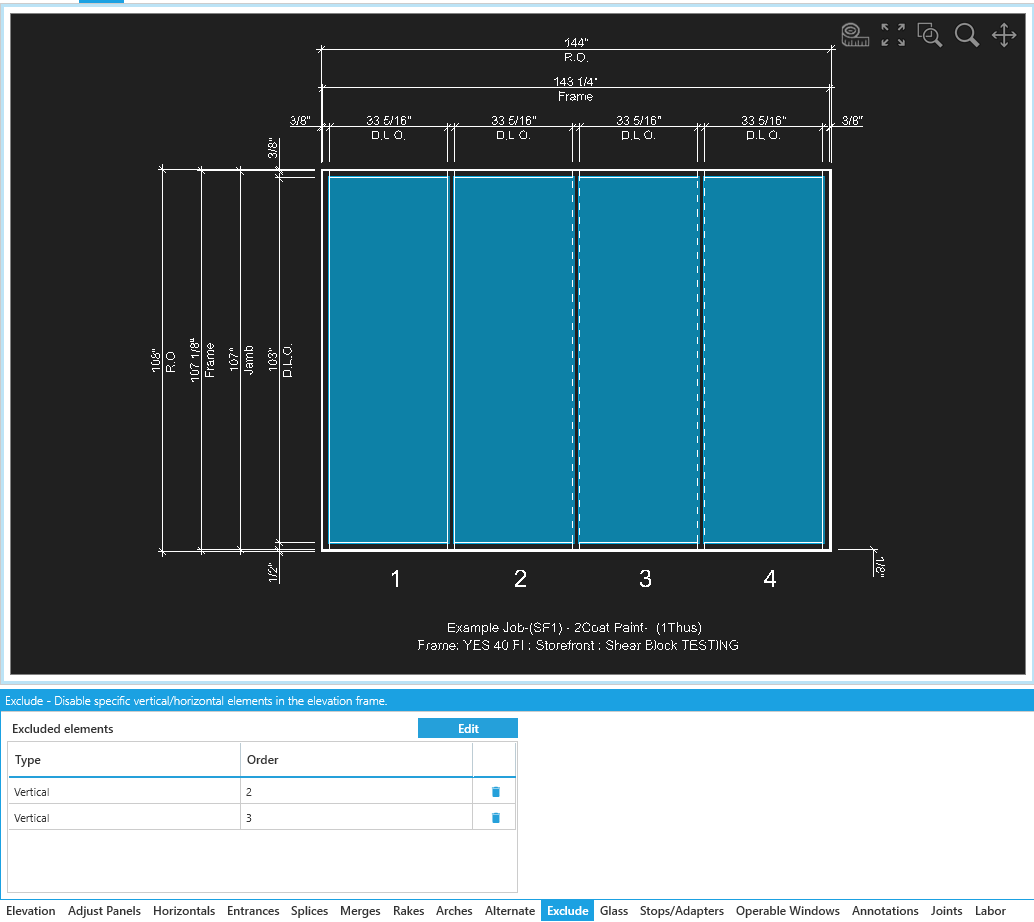
Exclude Elements
Click the Edit button to specify a new exclusion.
Your tab will switch to a new view where you can select the frame segments you want exclude.
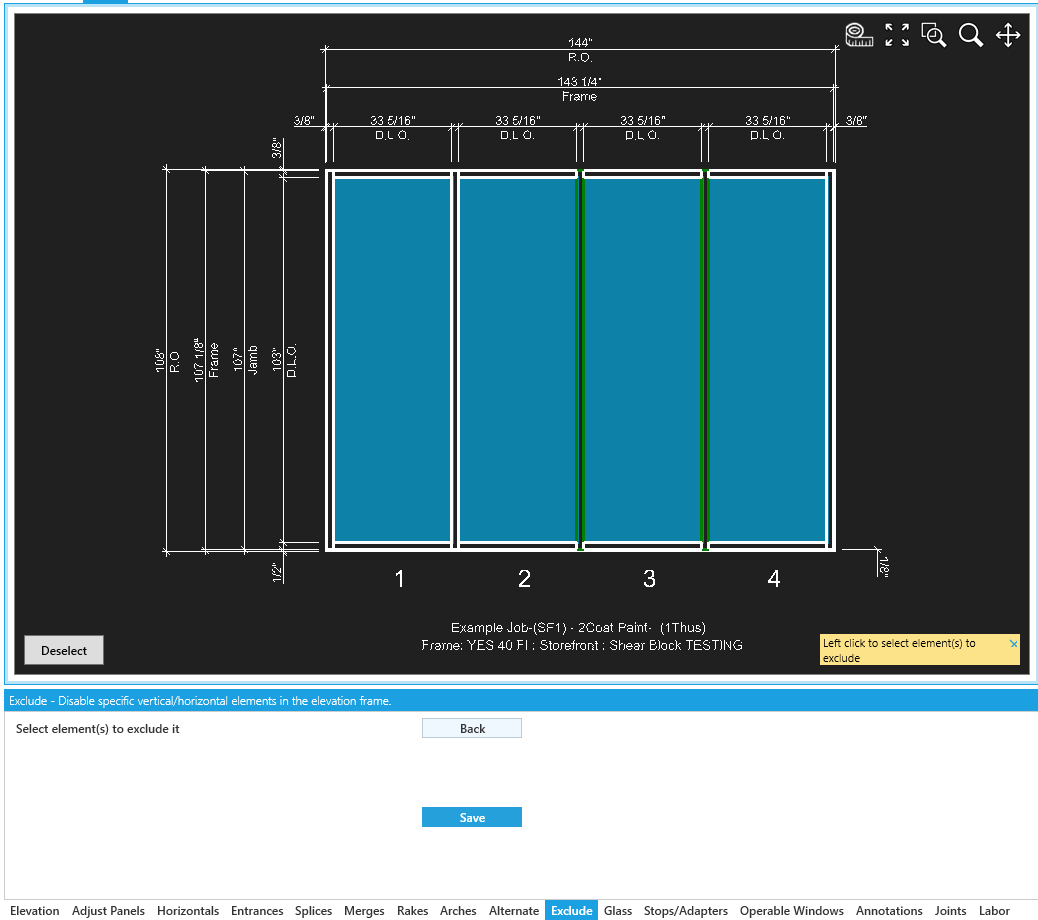
Confirm / Return
Click Save to confirm your selection and return to the list view.
Click Back to cancel and return to the list of exclusions in the elevation.