Stops/Adapters Tab
Apply stop or operable window adapter options to selected daylight openings.
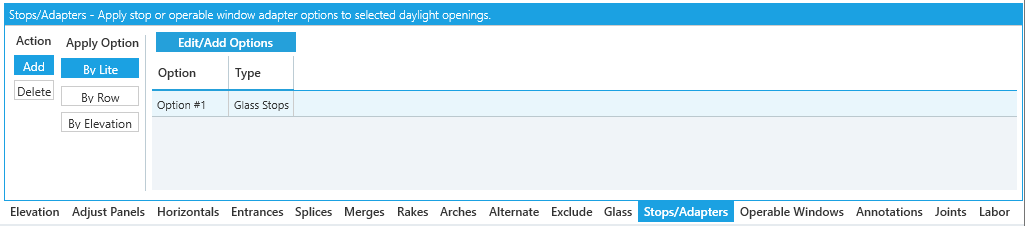
The Stops/Adapters tool tab lists glass stops and operable window adapter options loaded into the current job.
The list shows Start by adding an option to your framing system if no options are configured. To add these to your elevation, you'll need to edit your framing system. See Configuring Opening Options for more details.
Stops and adapters can be assigned in a few different ways. If these are assigned in multiple ways at once, the priority is:
- Stop/Adapter tool tab assignments
- Door Frame transom settings
- Auto Applied per frame configuration
Adding Options
-
Edit/Add Options- Add or modify stops and adapters available with this framing system.- See Configuring Opening Options for more details.
Assigning Stops / Adapters
Process
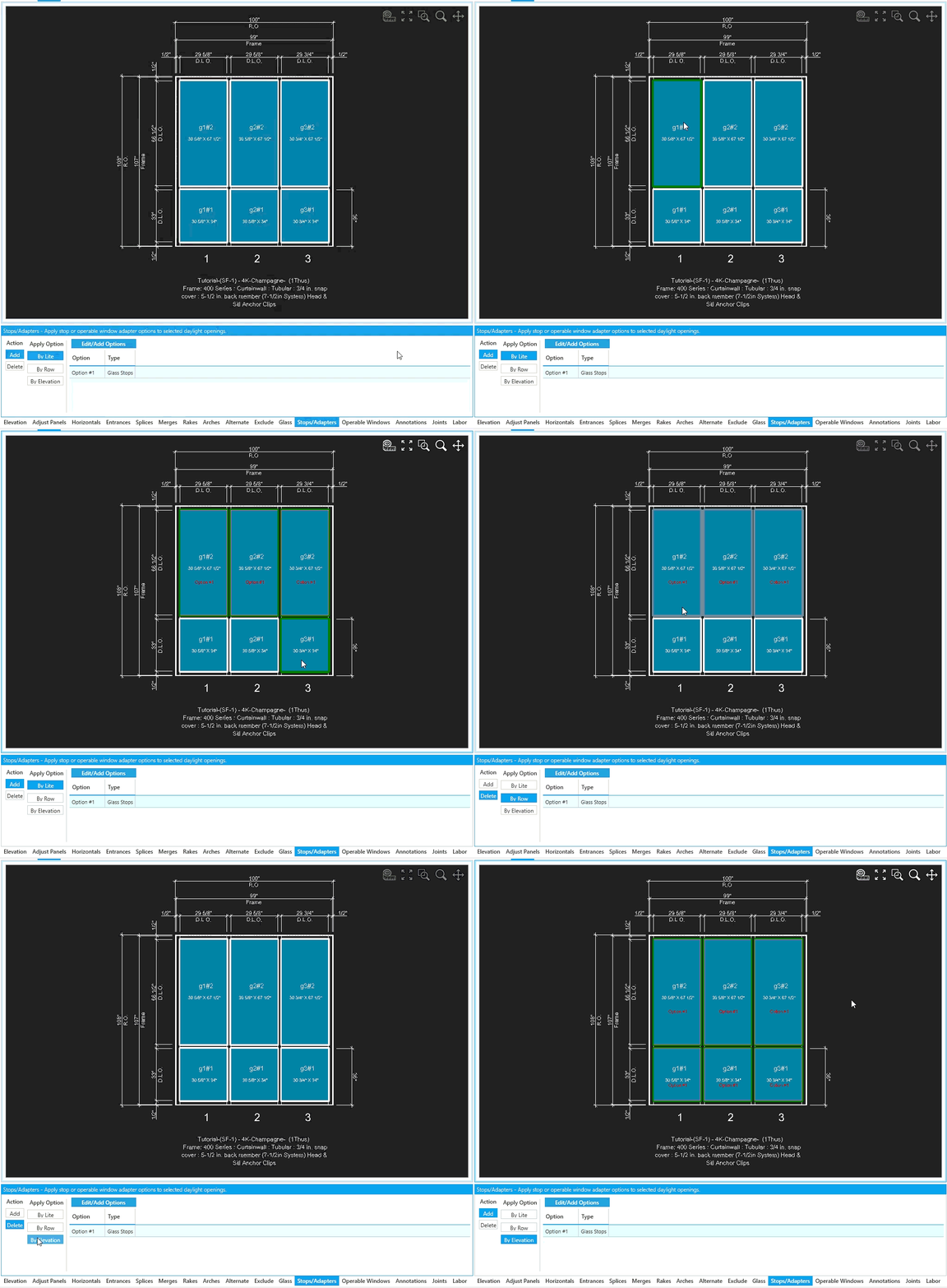
To assign stops/adapters make sure a stop/adapter option is loaded. Select the option, click Add, and click the panels to apply it.
Operable Window Adapters can only be applied to panels with an operable window assigned.
Options
-
Add- Assign the currently selected stop/adapter to the panels you click. -
Delete- Remove stop/adapter from the panels you click.
Use these settings to speed up assignment:
-
By Lite- Default option.AddorDeletestops/adapters to individual panels. -
By Row-AddorDeletestops/adapters to a full row of panels. -
By Elevation-AddorDeletestops/adapters to all panels.