Splice Detection
Required splices are automatically called out when an elevation has an extrusion that's longer than a part's stock length.
When this happens, you'll see the Splice Detection pop-up to help resolve it, and you'll have a Job Alert until you add splices or change the elevation.
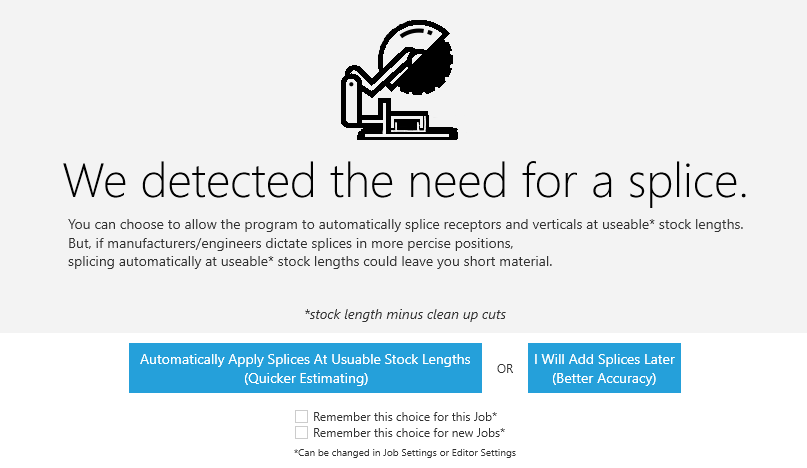
Splice Detection Options
-
Automatically Apply Splices At Stock Lengths (Quicker Estimating)- Click to automatically add splices to this elevation. -
I Will Add Splices Later (Better Accuracy)- Click to exit this window and add your splices later.
In either case, you can add, edit, or delete any splices in this elevation using the Splice tool tab.
Splice Detection Settings
Using these setting, you can skip the detection pop-up and automatically run whichever option you click this time.
-
☑
Remember this choice for this Job- Check this box to remember your choice for this job only. -
☑
Remember this choice for new Jobs- Check this box to remember your choice for all new jobs moving forward.
You can change these at any time by going to Settings>Editor Settings in the main menu.