Part 2 - Parts & Catalogs
The Core Concepts articles use some terms that have a specific meaning in WinBidPro. That definition may not perfectly match how they're used out in the field.
If something is typed like this, we're talking about the WinBidPro definition, specifically.
Catalogs
At the core of WinBidPro are Framing Systems and Parts. These are digital versions of the parts, hardware, assemblies, and installation rules that make up your glazed openings. These are collected into Catalogs.
Vendor Catalogs
When you first launch WinBidPro, you'll be asked what Vendor Catalogs to add to your organization. These are preconfigured catalogs made by GDS, and reflect many of the most requested options from users.
Due to licensing and legal agreements, some preconfigured vendors do not have pricing assigned to their Vendor Catalog.
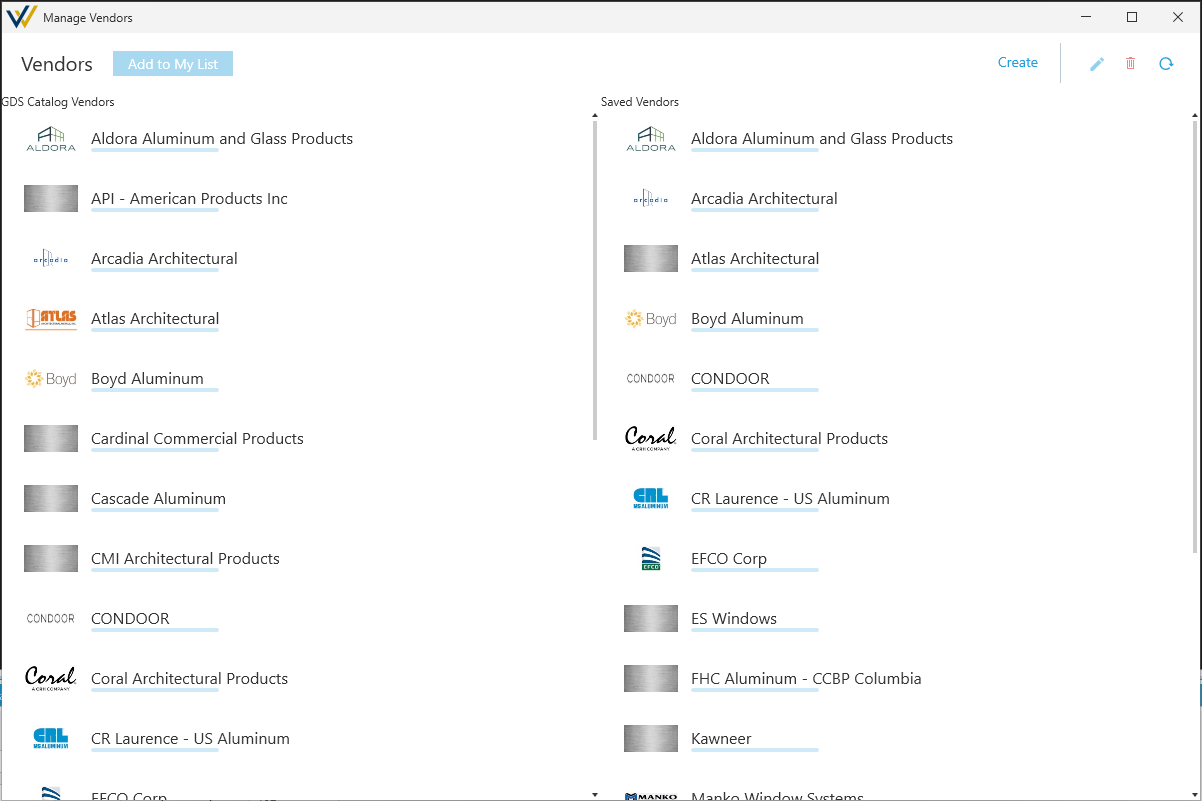
You can add or remove vendors from your team's available catalogs by clicking Catalogs>Manage Vendors... in the main menu.
Requests
You can request new additions catalog by clicking Help>Catalog Add/Edit Request in the main menu.
If you notice that a system or its pricing has recently changed and needs to be updated, you can also use this option to help inform us.
Please note requests are prioritized based on our availability and how often they get requested.
For any immediate need, see Editing Catalogs below.
Editing Catalogs
WinBidPro has an extensive set of features to configure your own parts, systems, and catalogs. Once they're correctly configured, you can use them just like the preconfigured ones.
If there's something you need from a specific vendor that's not in a vendor's preconfigured list, these can be added by you on a per-job basis, or directly to your team's vendor catalog. We'll go into more detail on what that means in the next article - Local and Global Edits.
- See the Custom Parts & Systems section to learn more about configuring your own parts and systems.
You can create a completely new catalog by clicking Create in the top right corner of the Manage Vendors window, see image above.
Important Considerations
Catalogsare shared by your team. Make sure you make changes carefully, it might not be obvious to others when something's been changed.
Parts, Systems, and More
Your catalogs are broken up into these categories:
- Vendor Specific
Finishes- Standard finish options.Parts- List of part numbers and data for individual parts.Framing Systems- List of configured systems, each with part assemblies, settings, and installation logic for accurate counts.Entrances- Preset combinations ofDoor FramesandDoor Leafs.Door Frames- Part assemblies with special logic for framing a door opening.Door Leafs- SpecialPartfor use inDoor Frames.
- Independent
Glass Table- Glass product details that get assigned topanelsin yourelevations.Operable Window Templates- Operable window details that get assigned topanelsin yourelevations.
See the Drawing Elevations section for more details on how to apply each of these.
See the Custom Parts & Systems section to learn more about configuring your own parts and systems.
Components & Assemblies
Framing Systems, Door Frames, and some other areas of WinBidPro use Components and Assemblies.
Components are collections of parts paired wit additional logic for accurate estimating, like spacing for screws. Assemblies are a type of component that bring together a list of parts, usually one or more extrusions, and hardware.
These topics get covered in depth in the Custom Parts & Systems section, but the important thing to know is that these are just terms for parts and lists of parts when they get referenced in other catalog entries.