Printed Reports
Once you've finalized your parts and settings, you can turn reports into a variety of print-ready deliverables.
Each of these options are found in the bottom half of the Reports menu using green icons.
Shared Printing Options
Some options appear in most of the printed report windows, including:
-
Format of Imperial Measurements- A drop menu to select measurement format with options for:-
Fractional- Ex. 1 1/2" -
Decimal- Ex. 1.5"
-
-
☑
Show Pricing/ ☑Include Price- ToggleTotal Pricecolumn.
All Reports & Settings
Click this option to quickly change settings and export multiple reports from one spot.
Click the export format for each to toggle them on / off, then click Run Reports to export them. For print versions, you can click the > to see some quick options for each.
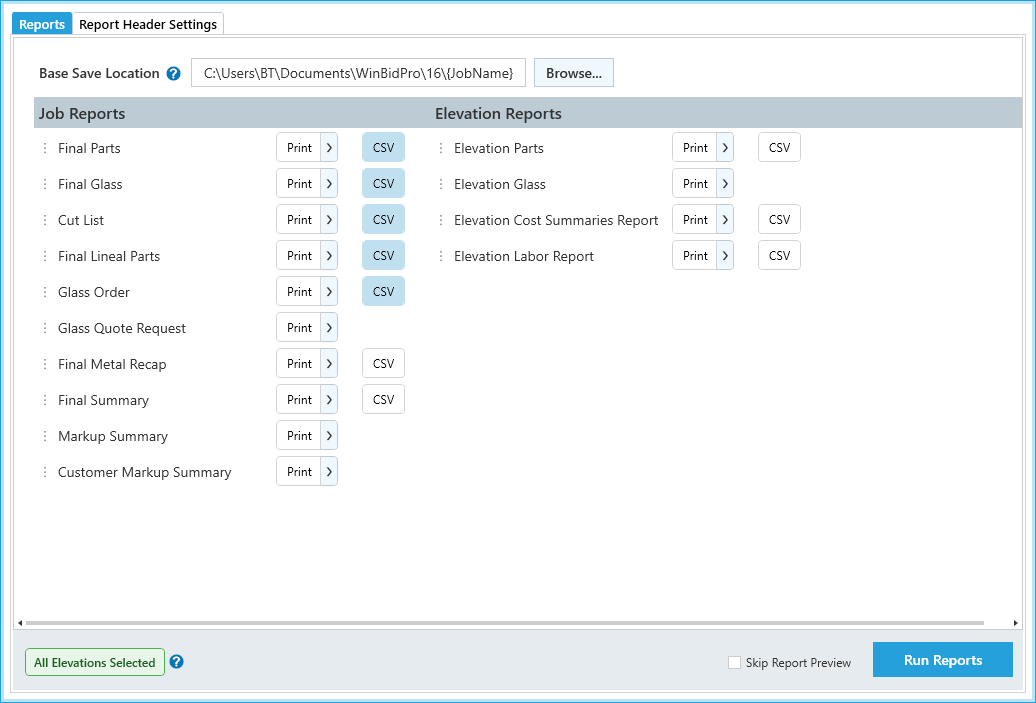
Options
Reports Tab
-
Base Save Location- Specify or change where you want your reports to be saved on your computer. -
Print- Click to mark this report for download as a print-ready version.- Each
Printbutton also has a>button next to it. Click for quick-access options like print orientation and report settings.
- Each
-
CSV- Click to mark this report for download as a CSV file for use in spreadsheet minis.- See Export to CSV / Spreadsheets for more details.
-
Run Reports- Generates prints / CSV downloads for all marked reports.Skip Report Preview- Toggle to skip the preview step of downloading these reports.
Report Header Settings Tab
This tab includes job details and settings for your report headers.
Job Reports
These cover individual print-ready outputs.
Final Parts
A full list of parts in the job in a printable format.
- This report is generated from the Final Parts list.
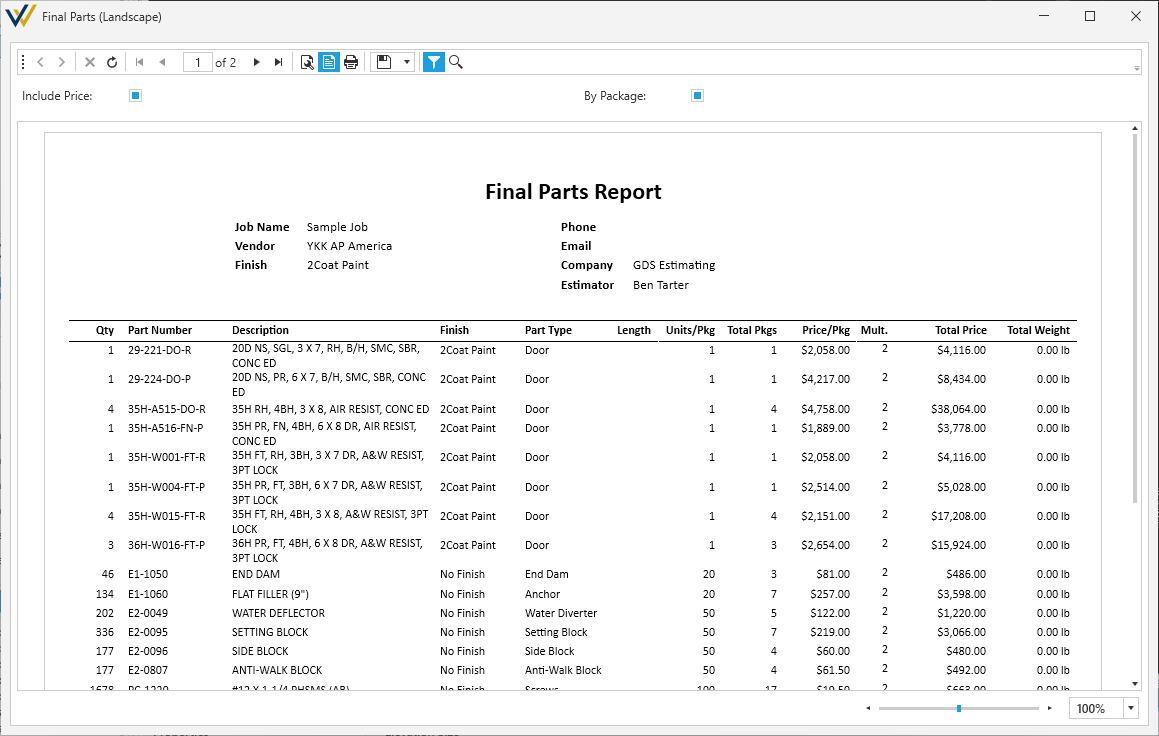
Options
-
☑
By Package- ToggleUnits/Pkg,Total PkgsandPrice/Pkgcolumns.- If this is off,
Price/Pkgcolumn is replaced withPrice/Unit.
- If this is off,
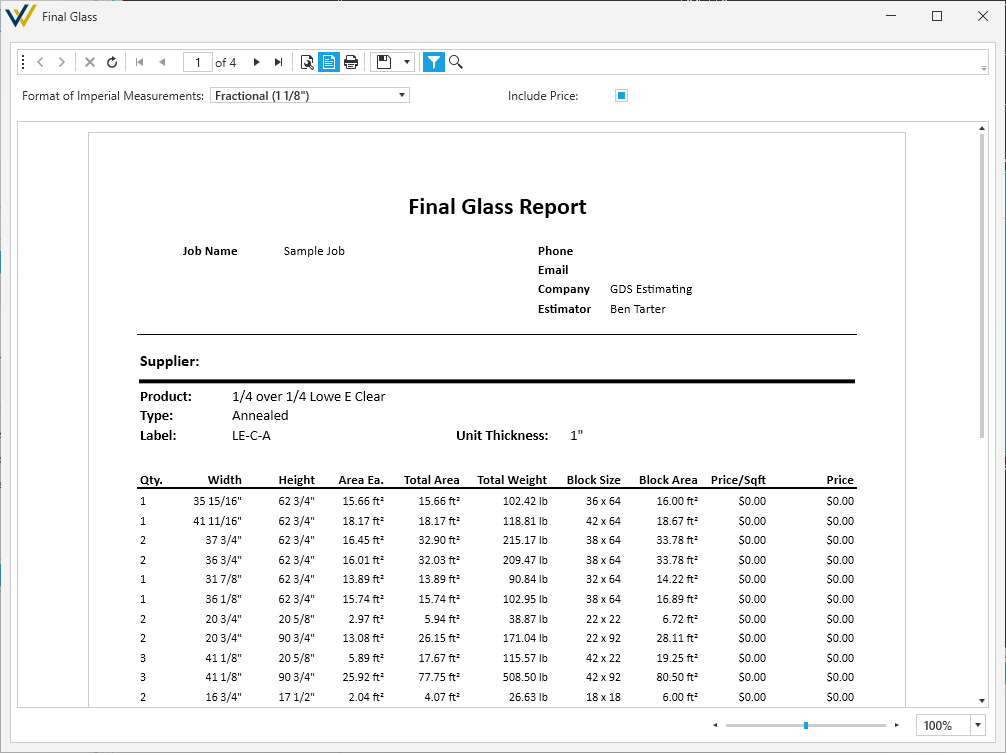
Final Glass
A full list of glass products applied to panels in the job in a printable format.
- This report is generated from the Glass report.
Cut List
A full list of extrusion cuts in the job in a printable format.
- This report is generated from the Cut List optimized part report.
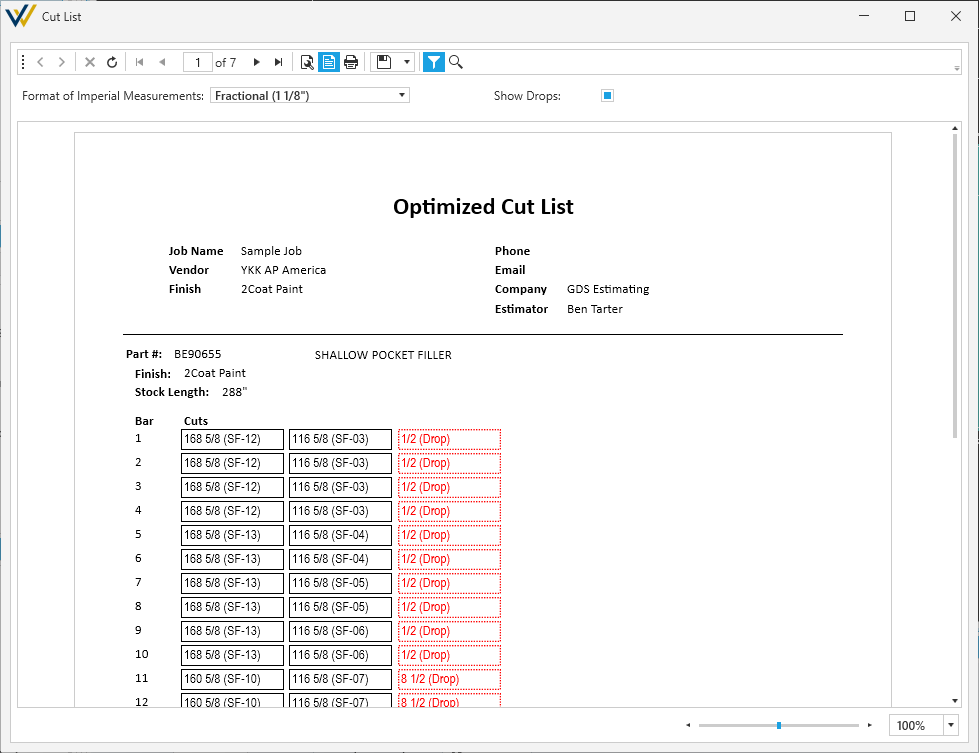
Options
- ☑
Show Drops- Toggle showing clean cut drops.
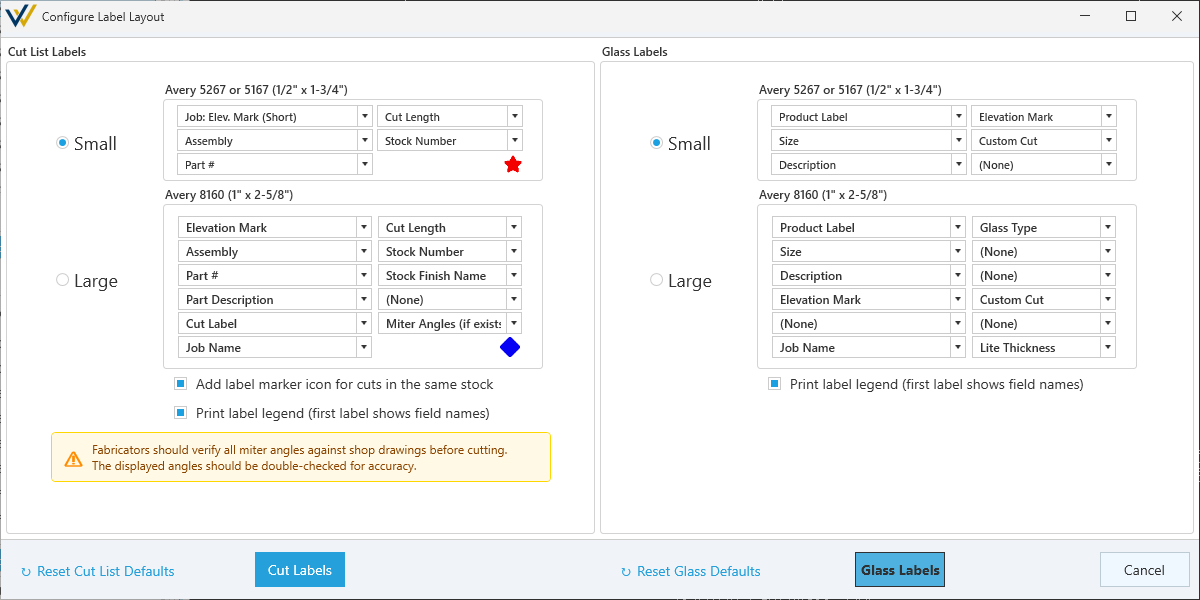
Print Cut List & Glass Labels
Build out and print your cut list and glass list into a printable label format.
-
See Cut List and Glass Labels for more details.
-
These labels are generated from the Cut List optimized part report, and the Glass report.
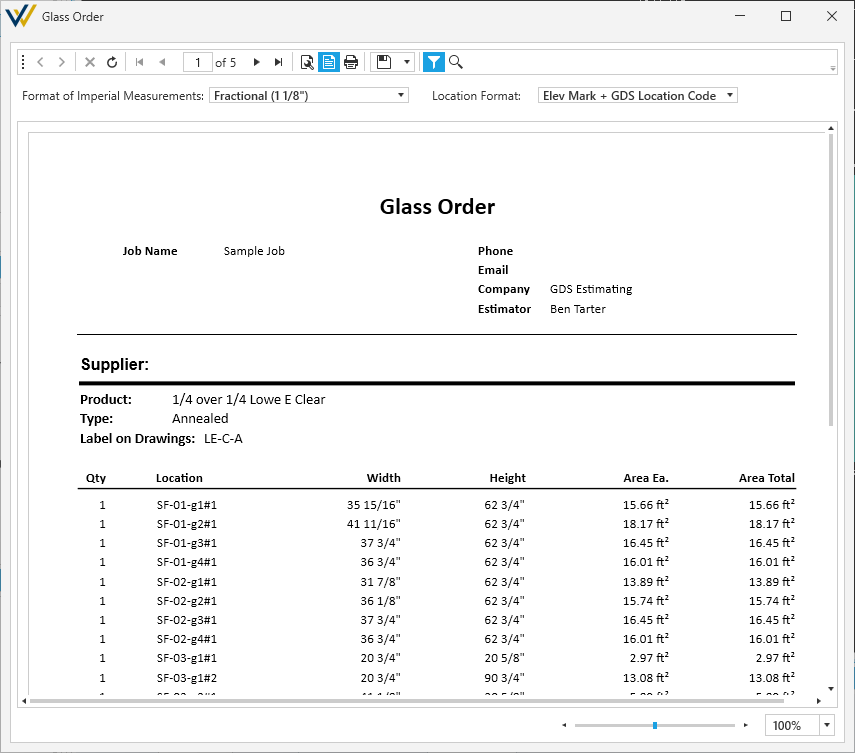
Glass to Order
A full list of glass products applied to panels in the job in a printable order form.
- This report is generated from the Glass report.
Options
-
Location Format- Drop down with the following options:-
Elev Mark + GDS Location Code- Location is listed as the elevation and the unique glass marker. For Example: SF-1-g1#1 -
Elev Mark only- Location shown as the elevation only. For Example: SF-1
-
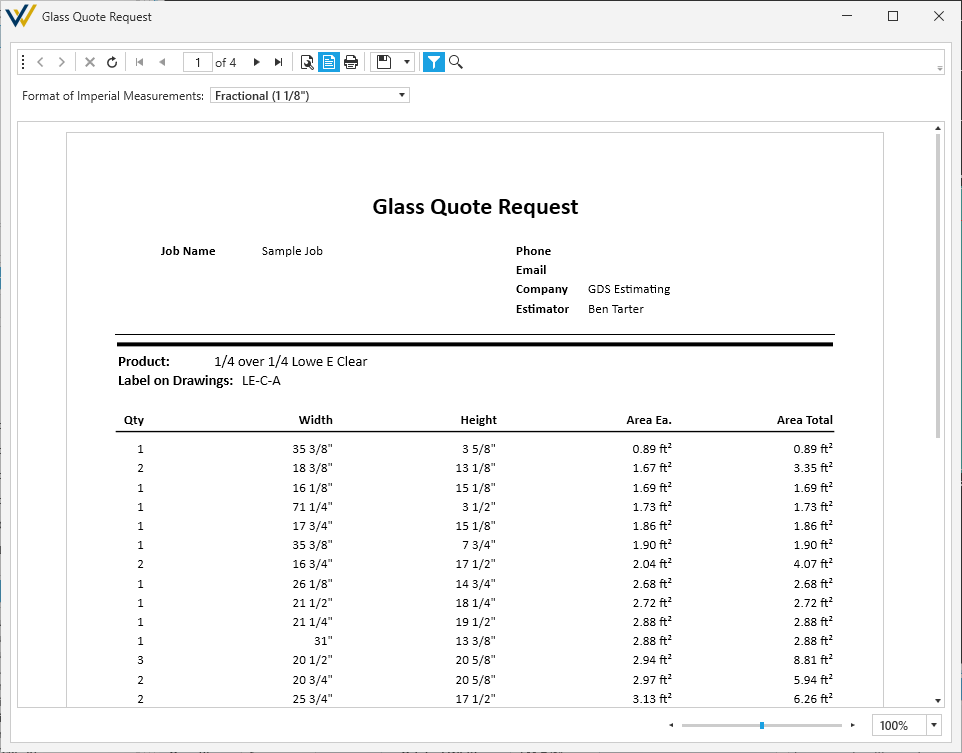
Glass Quote Request
A full list of glass products applied to panels in the job in a printable quote request.
- This report is generated from the Glass report.
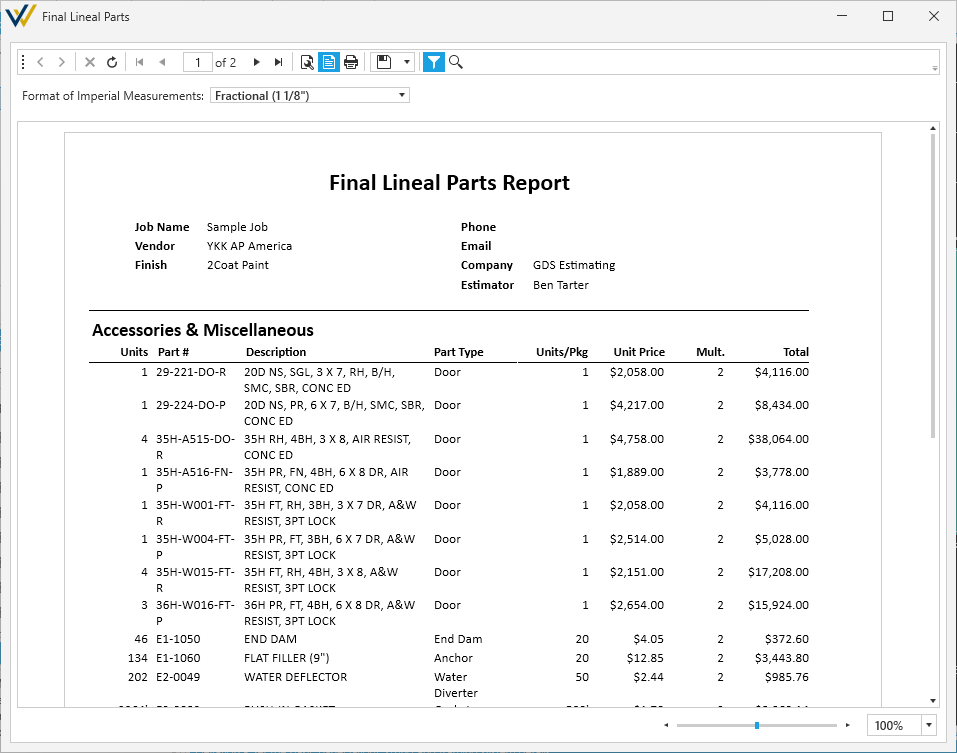
Lineal Parts
A full list of lineal parts in the job in a printable format.
- This report is generated from the Cut List optimized part report.
Metal Recap
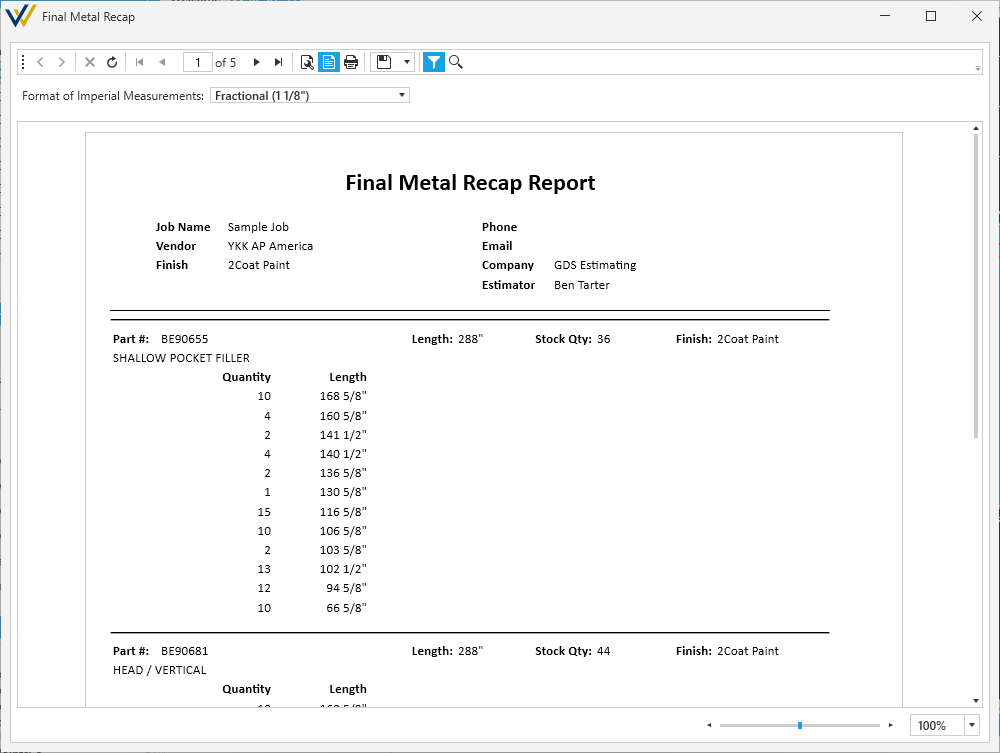
A breakdown of metal extrusions in the job in a printable format.
- This report is generated from the Cut List optimized part report.
Operable Windows
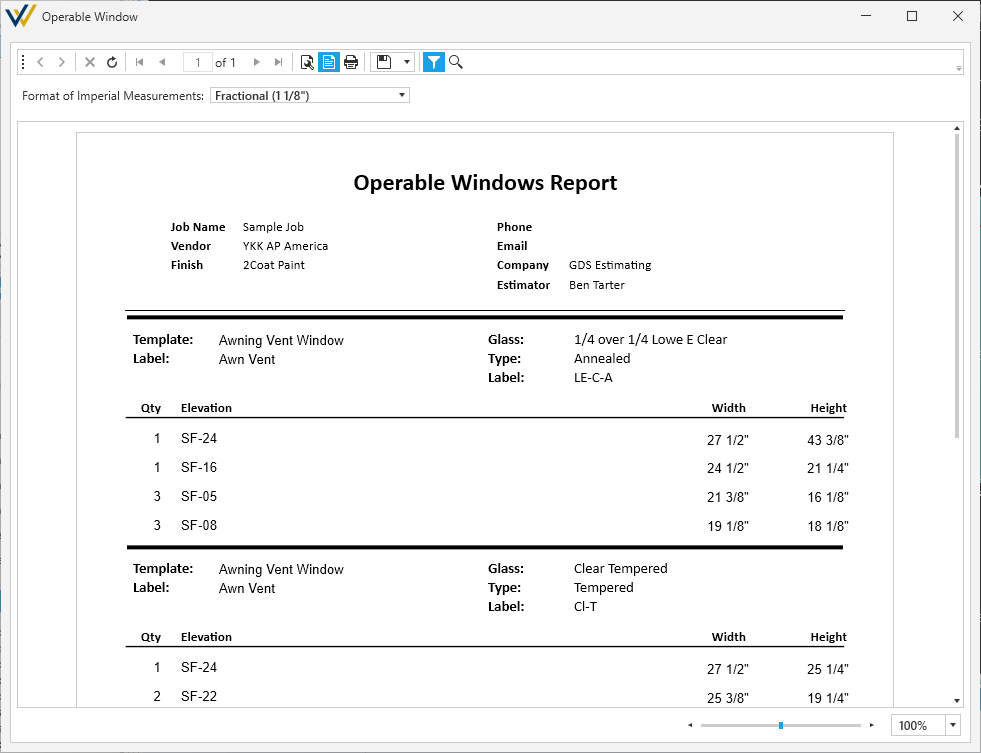
A full list of operable windows applied to panels in the job in a printable format.
- This report is generated from the Operable Windows report.
Final Summary
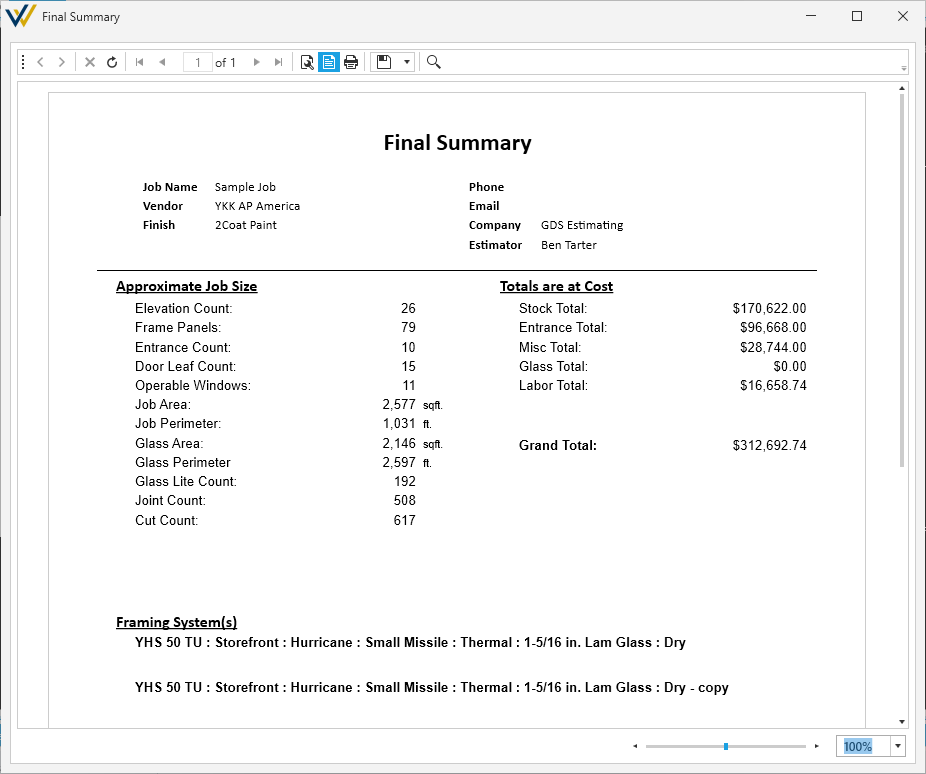
A final summary of the full job and pricing available in spreadsheet (via CSV file) or printed document format.
- See Export to CSV / Spreadsheets for more details on CSV files.
Elevation Reports
These cover print-ready deliverables for your job, split up per elevation.
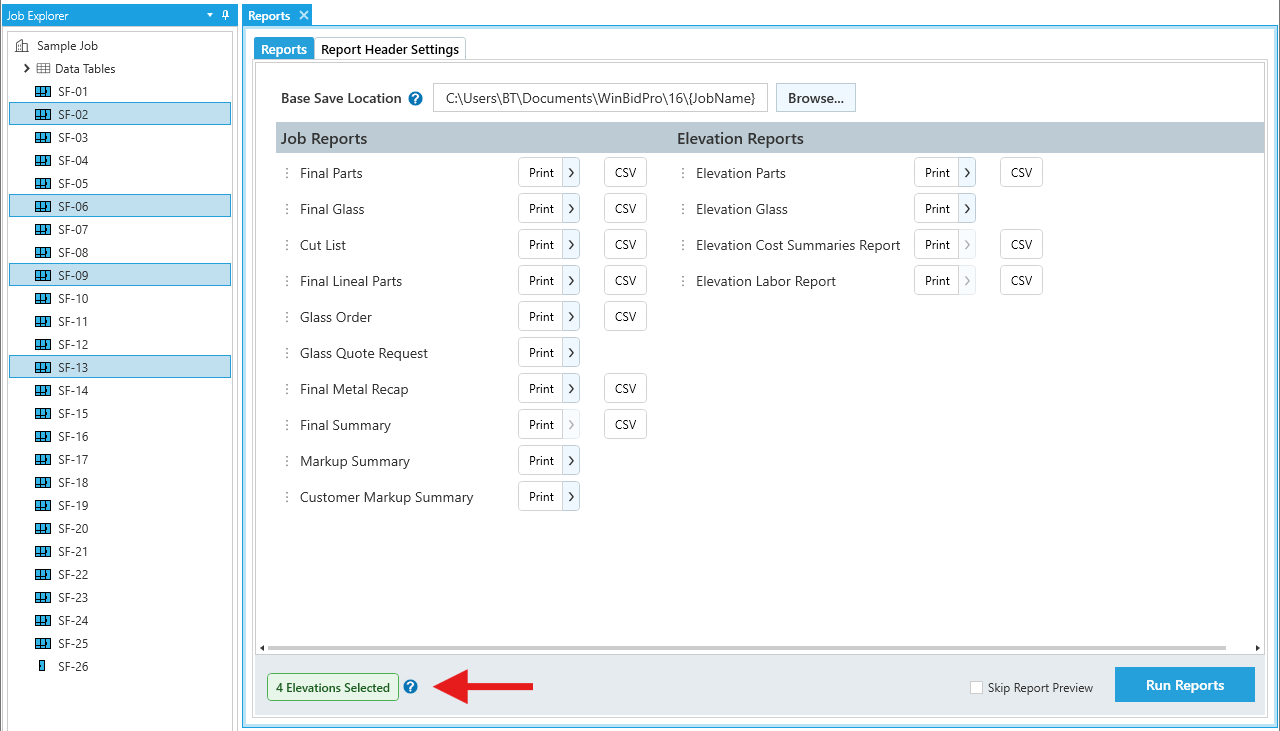
When printing elevation reports from the All Reports & Settings window, you'll default to exporting data for all elevations. You can limit this to a specific elevation by selecting it in the Job Explorer sidebar.
You can also select multiple specific elevations by holding the Ctrl key as you click them. When you do, you'll see the Elevations Selected box update to show the current total.
Parts
A breakdown of parts per elevation in a printable format.
- This report is generated from the Final Parts list as the parts appear in each elevation.
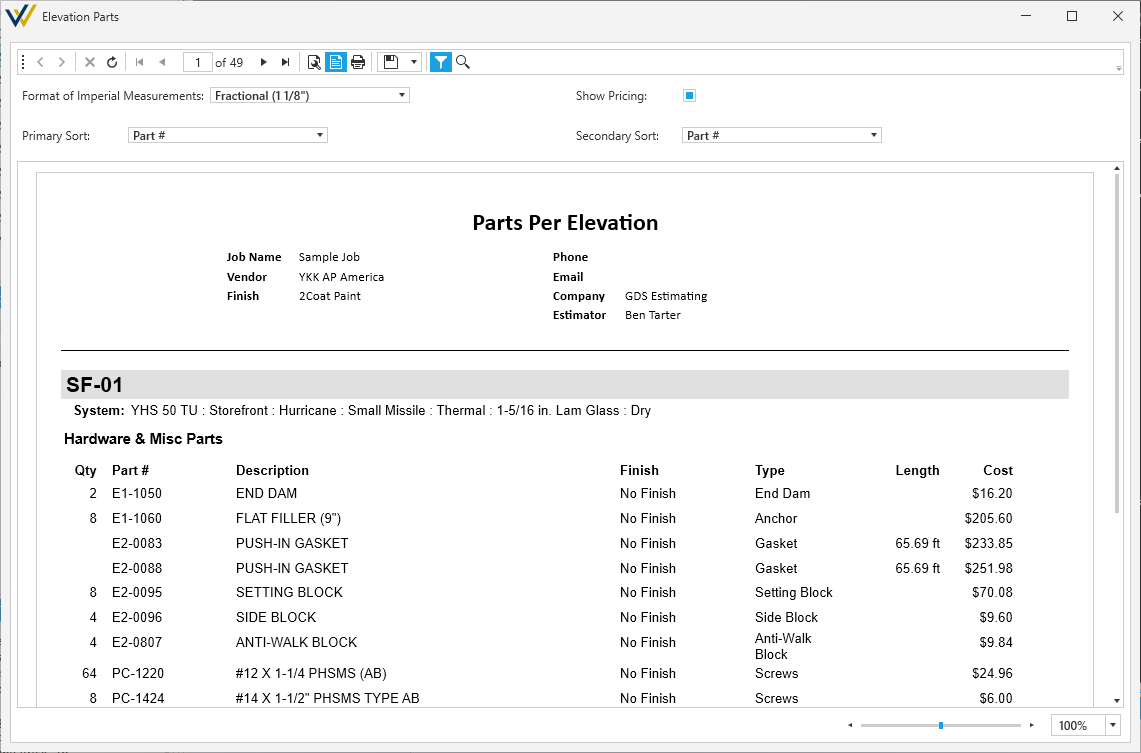
Options
-
Primary Sort/Secondary Sort- A drop menu to sort parts with the following sorting options:-
Part # -
Type/Component
-
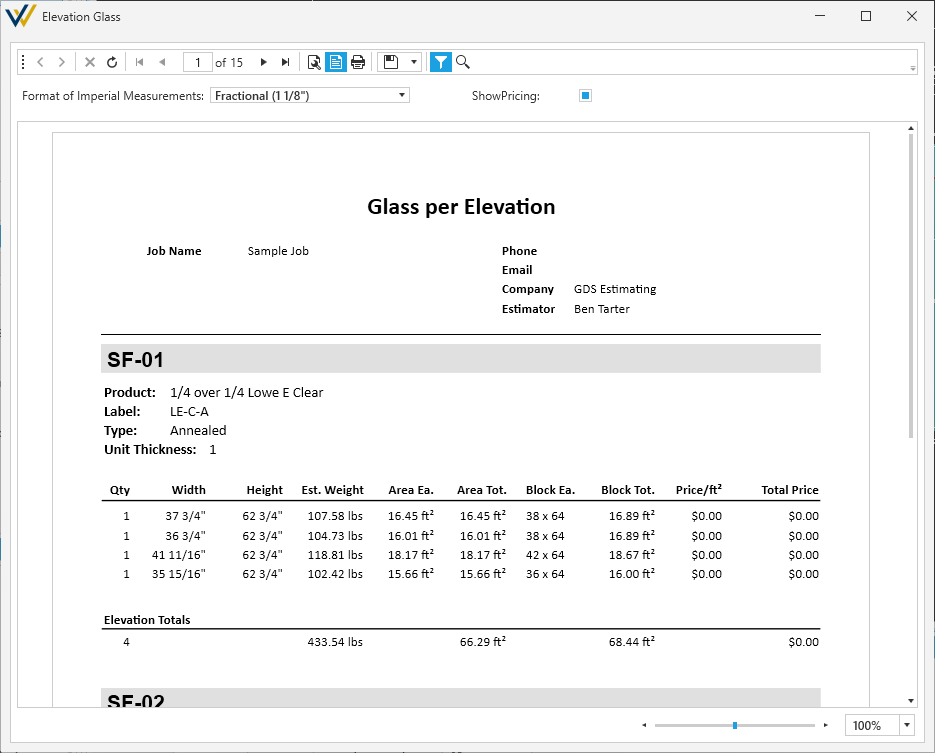
Glass
A breakdown of glass products applied to panels per elevation in a printable format.
- This report is generated from the Glass summary as glass appears in each elevation.
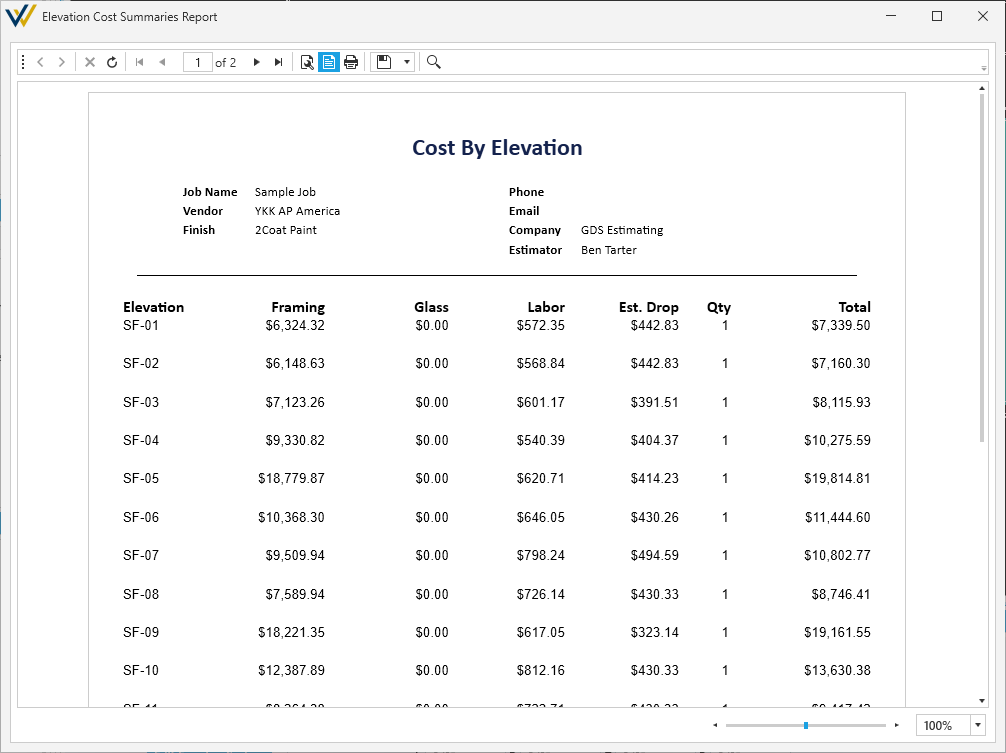
Cost
A breakdown of cost per elevation in a printable format.
- This report is generated from the Final Parts list and Markup settings as they affect pricing per elevation.
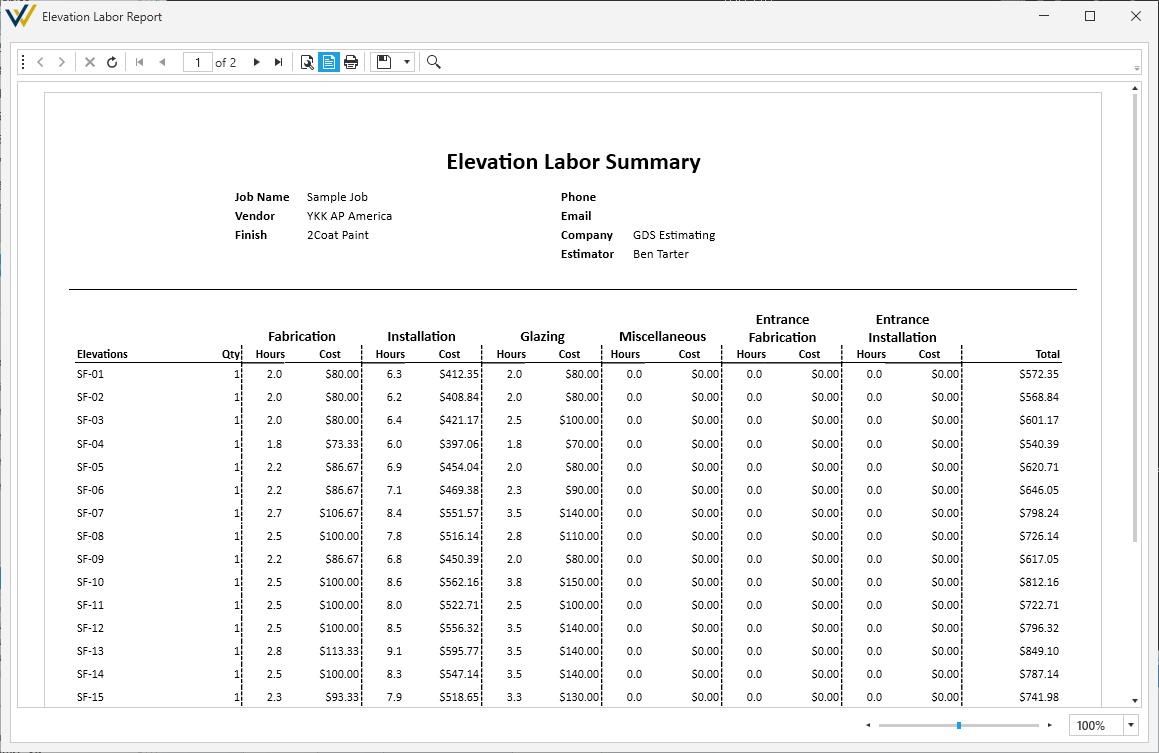
Labor
A breakdown of labor per elevation in a printable format.
- This report is generated from the Labor Breakdown per elevation.
Export Reports Data
Exports the entire set of job data in a .JSON file for IT and Integration purposes.
- See What's In Our Exports for more details.