Export to CSV / Spreadsheets
Many reports will have the option to 
Export to CSV.
CSV is a file format that can be imported into spreadsheet programs like Microsoft Excel and Google Sheets.
-
For Excel, you can find this option in the
Datatab, using theFrom Text/CSVbutton. -
For Google Sheets, you can use the
Importoption in theFilemenu. -
This is a commonly used format, so be sure to check the documentation for any other apps if needed.
Exporting
Most reports have an Export to CSV button near the top of the window.

Bulk Export
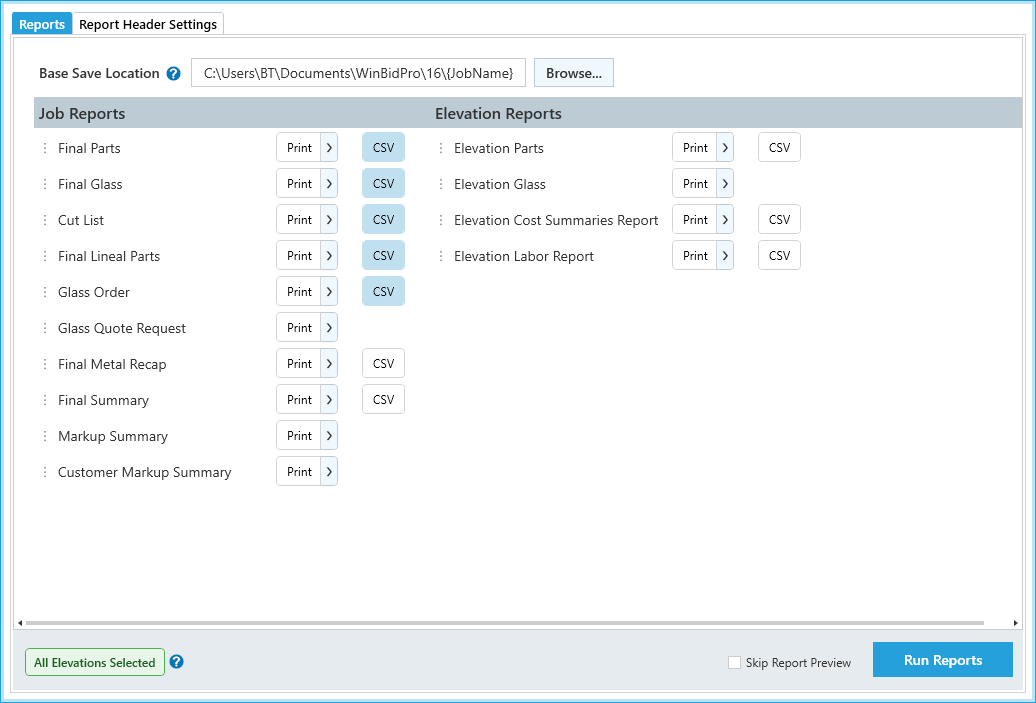
You can also export these in bulk from Reports > All Reports & Settings in the main menu.
From this window, you can toggle the CSV option for each report, then click Run Reports to download them all at once.